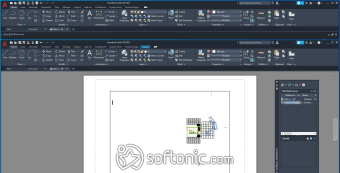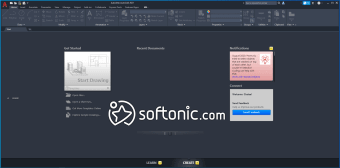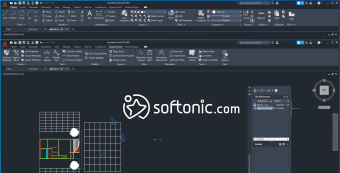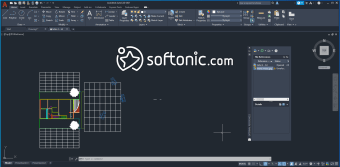

Streamlines creative design workflows
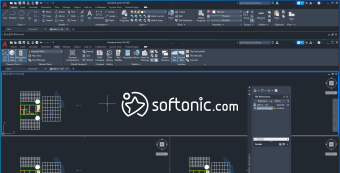
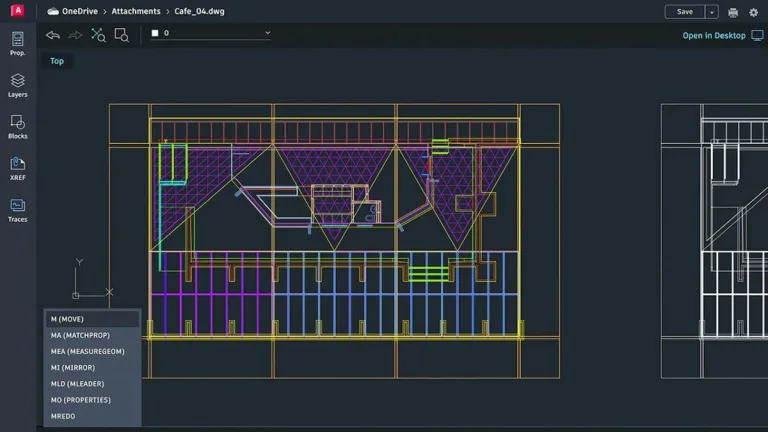
AutoCAD is a versatile design and drafting software used by architects, engineers, and construction professionals. Its precise 2D and 3D CAD tools enable efficient creation of complex designs, making it a key asset in professional workflows. Users benefit from customizable workspaces and enhanced productivity features that cater to both individual and collaborative projects.
Top Recommended Alternative

The software integrates automation tools that simplify repetitive tasks, including layout publishing, object placement, and drawing comparison. AutoCAD also supports extensive plugin and API functionality, offering flexibility for users who wish to tailor their workspace while maintaining compatibility with alternative CAD tools for reference.
Key features and professional workflow benefits
AutoCAD emphasizes user efficiency through its 2D drawing and 3D modeling tools, enabling precise creation of floor plans, mechanical components, and architectural designs. Automation features allow repetitive tasks to be handled quickly. Regular updates enhance stability and integrate AI-driven tools for smarter drafting. Users seeking alternatives might consider software like BricsCAD or DraftSight, which offer similar drafting capabilities but with different customization options and interface designs.
The software’s intuitive interface balances accessibility with depth, allowing users to manage projects smoothly. Collaboration tools support a secure sharing of drawings and annotations with colleagues. Although highly capable, its system demands are moderate, and beginners may require a learning period to fully leverage its features. Its performance remains consistently high across extensive 2D and 3D projects, supporting professional-grade accuracy.
It offers both customization options and app integrations, enabling users to tailor the software for industry-specific workflows. While not free, it provides a trial version for exploration. The software excels in iterative design and real-time updates, although alternatives like SolidWorks may appeal to users focused solely on mechanical design. Its powerful drafting automation, collaborative functionality, and adaptable workspaces make it a leading choice for professionals in design and construction.
Delivers efficient drafting and design tools
AutoCAD combines precise 2D and 3D drafting, advanced automation, and flexible workspace customization, making it an essential tool for professionals. Its collaborative features enhance teamwork, while integration with APIs and plugins allows for tailored workflows. Whether for architecture, engineering, or construction, it provides reliable performance and productivity, ensuring users can achieve complex design goals efficiently. It remains a top recommendation for serious design projects.
AutoCad system requirements
To make sure AutoCAD runs smoothly on your computer, it's important to meet the system requirements for AutoCAD 2024. Here's what you need:
- Operating System: 64-bit Microsoft® Windows® 11 and Windows 10 version 1809 or above.
- Processor: Basic - 2.5–2.9 GHz processor (base) ARM Processors are not supported, Recommended - 3+ GHz processor (base), 4+ GHz (turbo)
- Memory: Basic: 8 GB, Recommended - 32 GB
- Display Resolution: Conventional Displays - 1920 x 1080 with True Color, High Resolution & 4K Displays - Resolutions up to 3840 x 2160 (with "Recommended" display card)
- Display Card: Basic: 2 GB GPU with 29 GB/s Bandwidth and DirectX 11 compliant Recommended: 8 GB GPU with 106 GB/s Bandwidth and DirectX 12 compliant DirectX 12 with Feature Level 12_0 is required for Shaded(Fast) and Shaded with edges(Fast) visual styles. Please be sure to use the latest video card manufacturer drivers from their website. Note: AutoCAD uses your computer's display card for a variety of essential graphics operations including but not limited to view manipulation, line smoothing, and text/linetype generation. It is recommended that you have a display card with dedicated VRAM to support these operations at optimal speeds.
- Disk Space: 10.0 GB (suggested SSD)
- Network: See Autodesk Network License Manager for Windows
- Pointing Device: MS-Mouse compliant
- .NET Framework: .NET Framework version 4.8 or later